

If you’re a LINX Member you might’ve noticed some new additions and improvements to the Portal. Let’s take a look at what’s new and what’s coming next.
A redesigned bandwidth selection and ordering experience
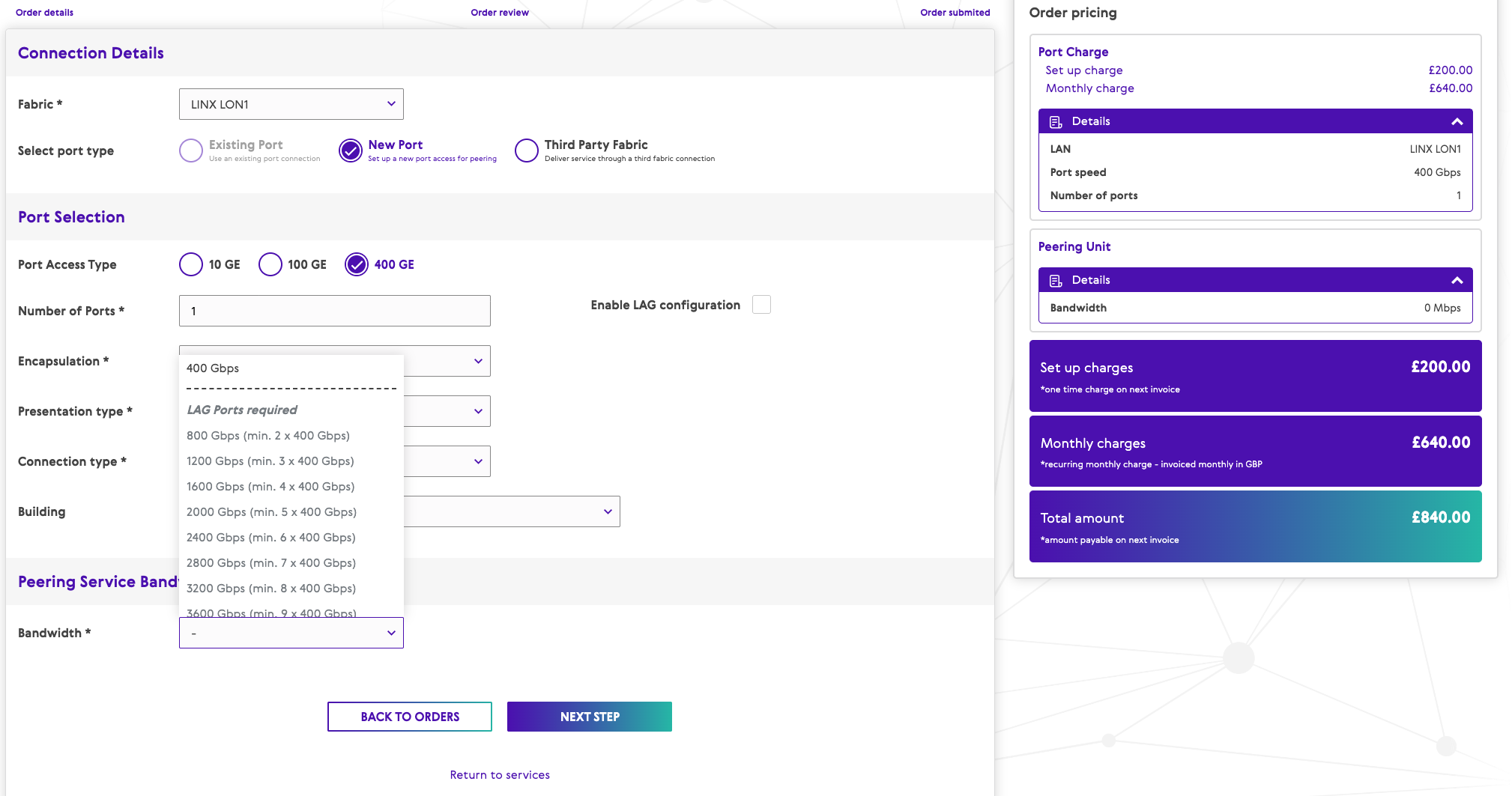
Following members feedback, we’ve completely redesigned the bandwidth selection and ordering flow to improve the user experience.
Delivery constraints are now presented upfront, so the options you see are the ones available to you. This cuts down on invalid selections and the back and forth some may have experienced. Port selection now covers third party fabrics as well, and the flow behaves the same whether you’re ordering as a member or managing services on behalf of customers as a reseller.
Order summaries
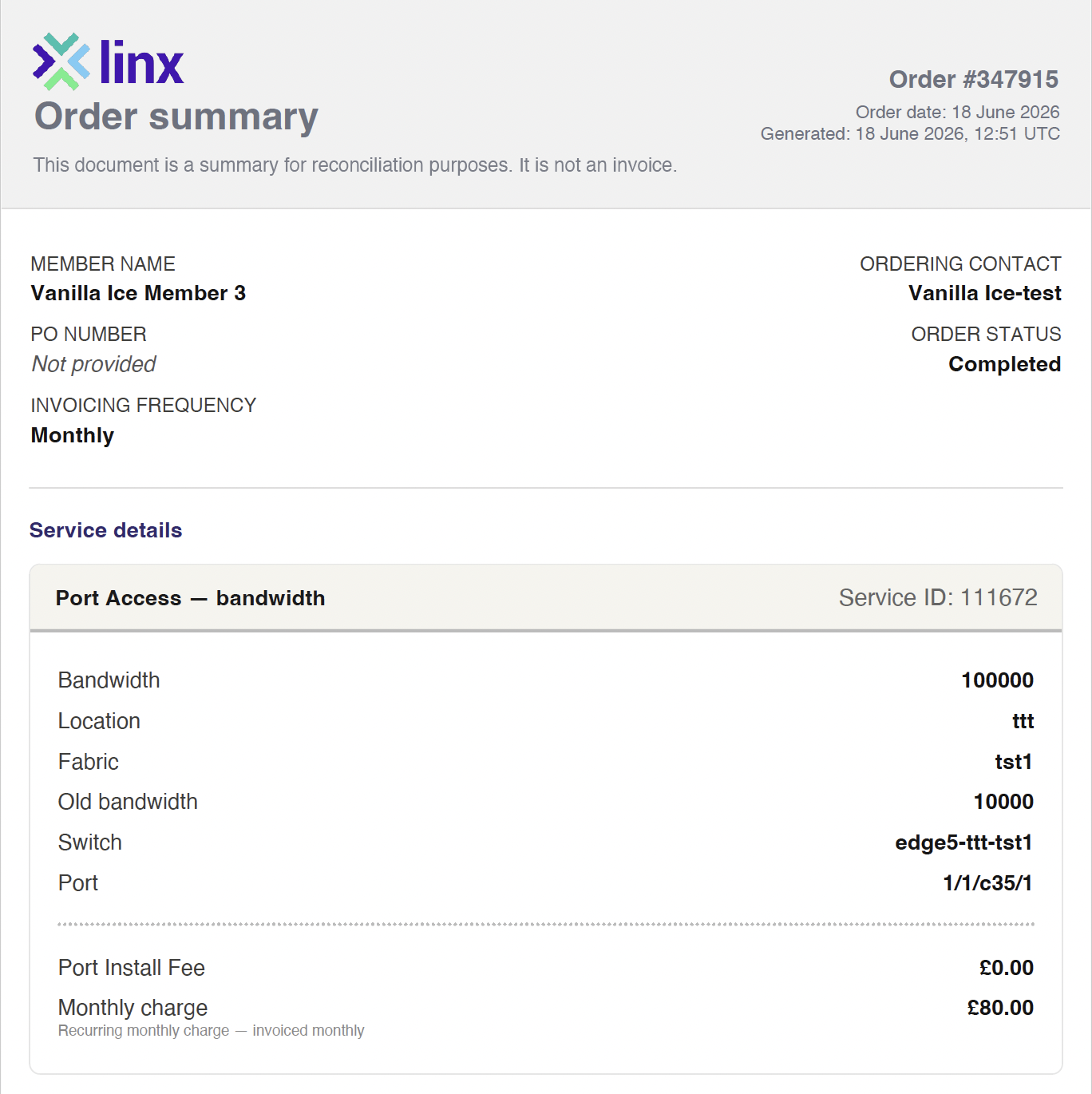
Any completed order that results in a billing change now produces a downloadable order summary. That covers new orders, bandwidth changes and location moves. The summary is a standardised PDF you can download straight from the portal and send to your finance team for reconciliation.
BGP session visibility
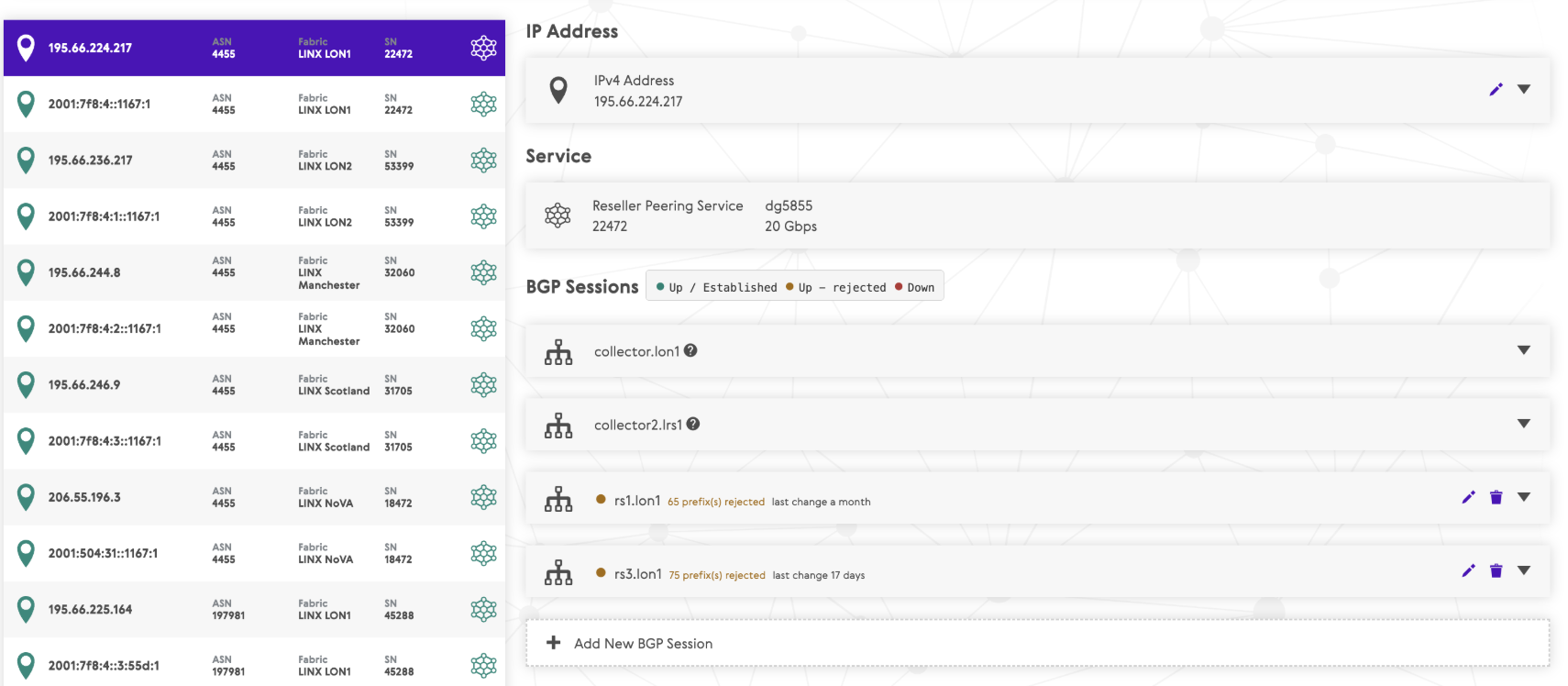
You can now check the health of your BGP sessions directly in the portal, without the need to contact the NOC or visiting the Looking Glass. This includes:
- Status and uptime
- Prefix counts
- Rejection reasons, and session health indicators
Service health and maintenance visibility
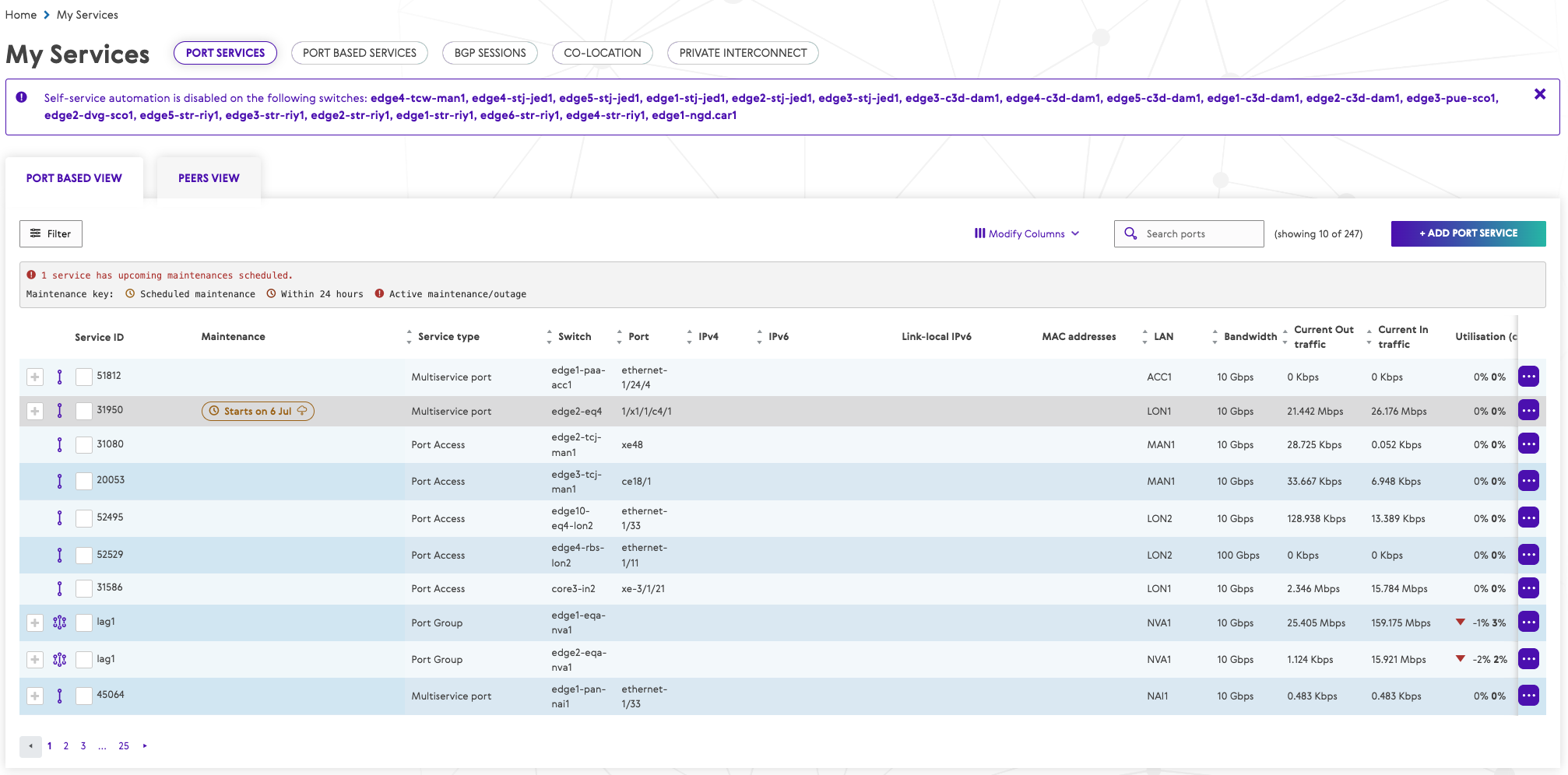
Maintenance and outage status now sits within My Services, so you can see which of your services are affected by scheduled or active maintenances without navigating away.
Each service carries a visual indicator showing its maintenance or outage status, and a summary banner tells you how many of your services are affected, with the option to filter the view just those. Detail view gives you the event information for each affected service in one place.
Coming soon
We are also working on making further improvements, such as:
- Portal notifications — proactive alerts for order lifecycle events, scheduled maintenances and outages, and access and role changes, delivered both in-portal and by email.
- Portal stats improvements — restoring missing metrics, surfacing optics data, and usability changes across the stats views.